

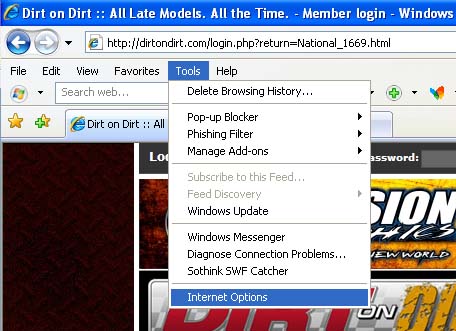
In the "Tools" menu, select "Internet Options".
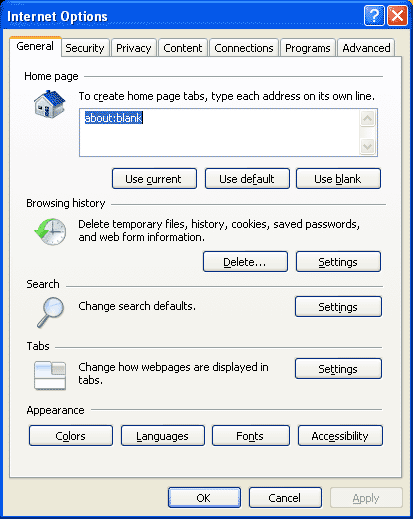
Click on the "Privacy" tab.
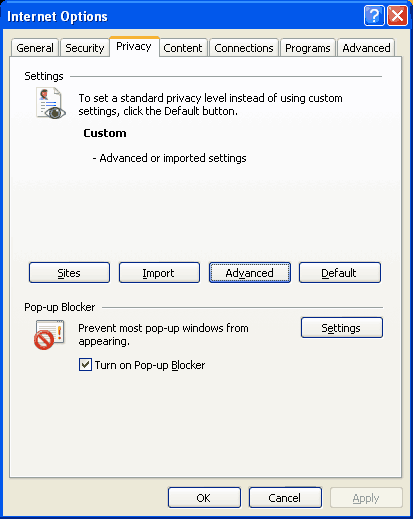
Click on the "Advanced" button.
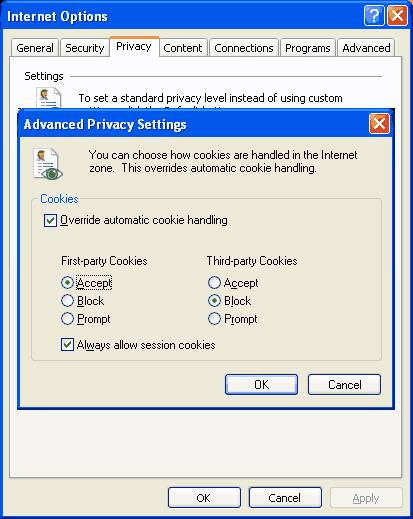
Uncheck the "Override automatic cookie handling" option.
- or -
- Check the "Override automatic cookie handling" option as shown above.
- In the "First Party Cookies" select "Accept"
- Check the "Always allow session cookies"
- Click the "OK" button and the "OK" button in the "Internet Options" window.